We believe people are fundamentally good. We also believe people deserve peace of mind.

We're building an environment that encourages safety and informed decisions. And if you ever need us, we’re a phone call away.

  • Your safety is our most important feature.

    We're committed to building a trusted, collaborative marketplace. That's why we've built best-in-class tools and services to help you make the right decisions. We want you to have a wonderful experience. Here's how.

    Airbnb Host Guarantee Seal

    $50,000 Airbnb Host Guarantee

    We’re extremely excited to launch the Airbnb Host Guarantee today in 10 countries. Our marketplace empowers hosts to make informed choices when renting out their place, and a $50,000 Host Guarantee offers hosts free, built-in protection against theft and vandalism should the unexpected happen. Learn more about the Airbnb Host Guarantee

    Address Verification

    Starting this week, we’re bringing a whole new level of trust to the listings on Airbnb with address verification. We’re kicking off the process of sending new and existing listings on the site a mailer to verify their addresses. This is an important step to building more trust into our marketplace, and if you choose to verify, an easy way to increase your inquiries and bookings. Listings with verified addresses will receive a “Verified Address” badge and an increase in search ranking.

    Support Staff
    multiple photos

    Multiple Profile Photos

    You always wanted more profile photos, and now you can! You can now add up to 20 profile photos, just don’t forget to smile :)

    Guest Names in Accept/Decline

    Screen inquiring guests like never before. Starting today, hosts can see the full name of a guest before deciding to accept or decline a reservation request. Full guest names are only visible after sending a reservation request, giving hosts one more way to research their potential guests before accepting a reservation.

    names in accept/decline
    trip context

    Trip Information Requirement

    One of the top requests on our Trust & Safety Suggestion page was requiring guests to give more context about their trip. We heard you loud and clear. You can now set “Purpose of a Trip” as a required field before any potential guests can send you a message or booking request.

    Help Center 2.0

    Helping yourself just got easier. We gave the Airbnb Help Center a massive face-lift and a complete revamp of all the content. It’s easier to navigate and find what you’re looking for, and now includes richer content like photos and videos to show you exactly what you’re looking for.

    Check out the new Help Center
    new help center
    privacy controls interface

    Privacy Controls

    It’s your information, control it. Members now have more granular control over the privacy settings of their listings and profiles than ever before. You can choose to filter your profile and listings out of search engines, and conceal your Social Connections from public view.

    24/7 Hotline

    On August 1, we promised you 24/7 phone support, and today we've delivered on that promise. We’re here to take your calls anytime at 1-855-424-7262. We know how important it is to talk to an actual person in an emergency, so when you need us, we’ll be here to help.
    Contact us

    Suppport Staff
    Screenshot of references view

    References

    While reviews are the cornerstone of the Airbnb reputation system, references help people new to Airbnb get started building their reputation. Formerly known as recommendations, references are a complete makeover and enhancement to this feature. Everyone is now required to add profile photos before they can leave references. Finding your acquaintances and asking them to write you a reference only takes a single click once you are connected to Facebook.

    Video Profiles

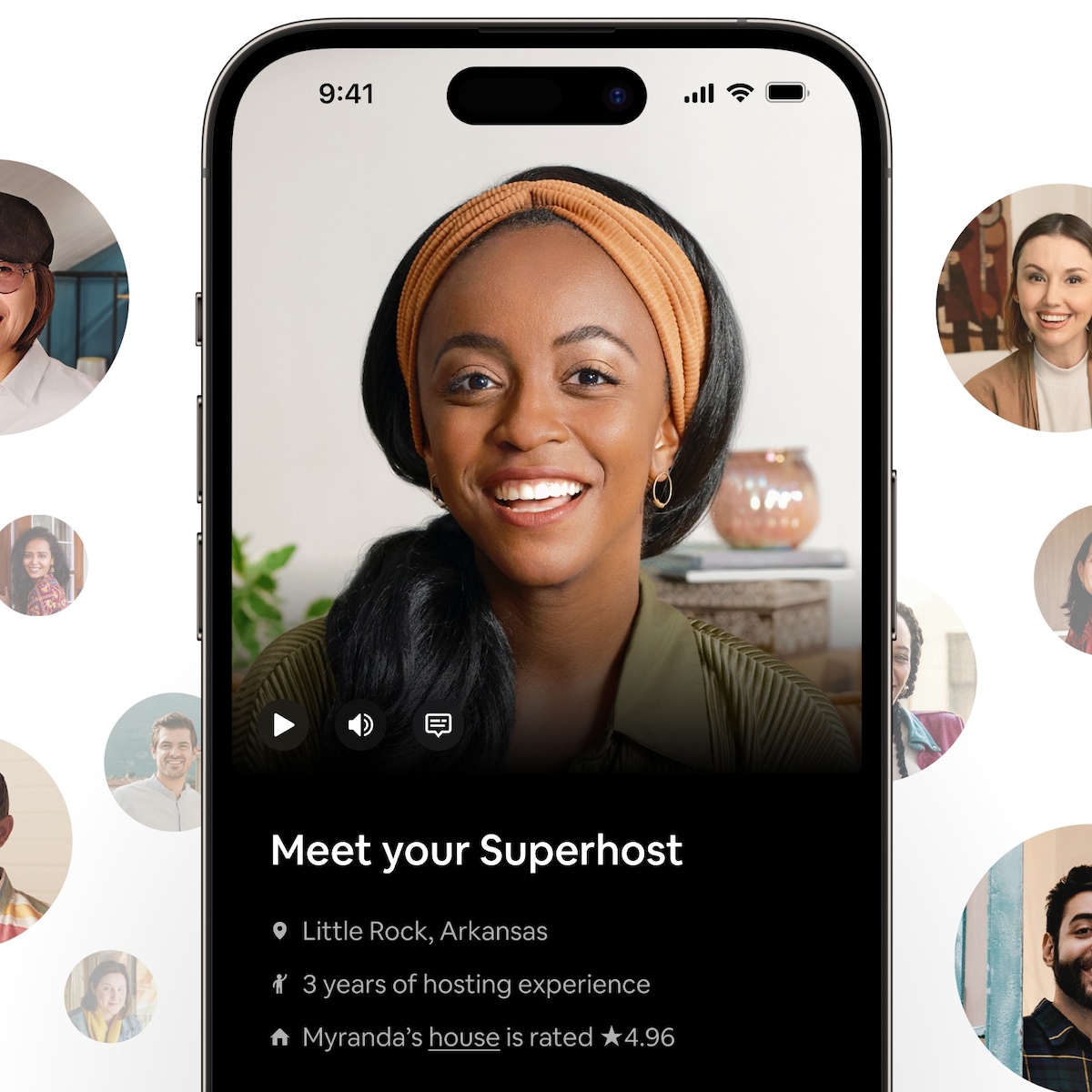
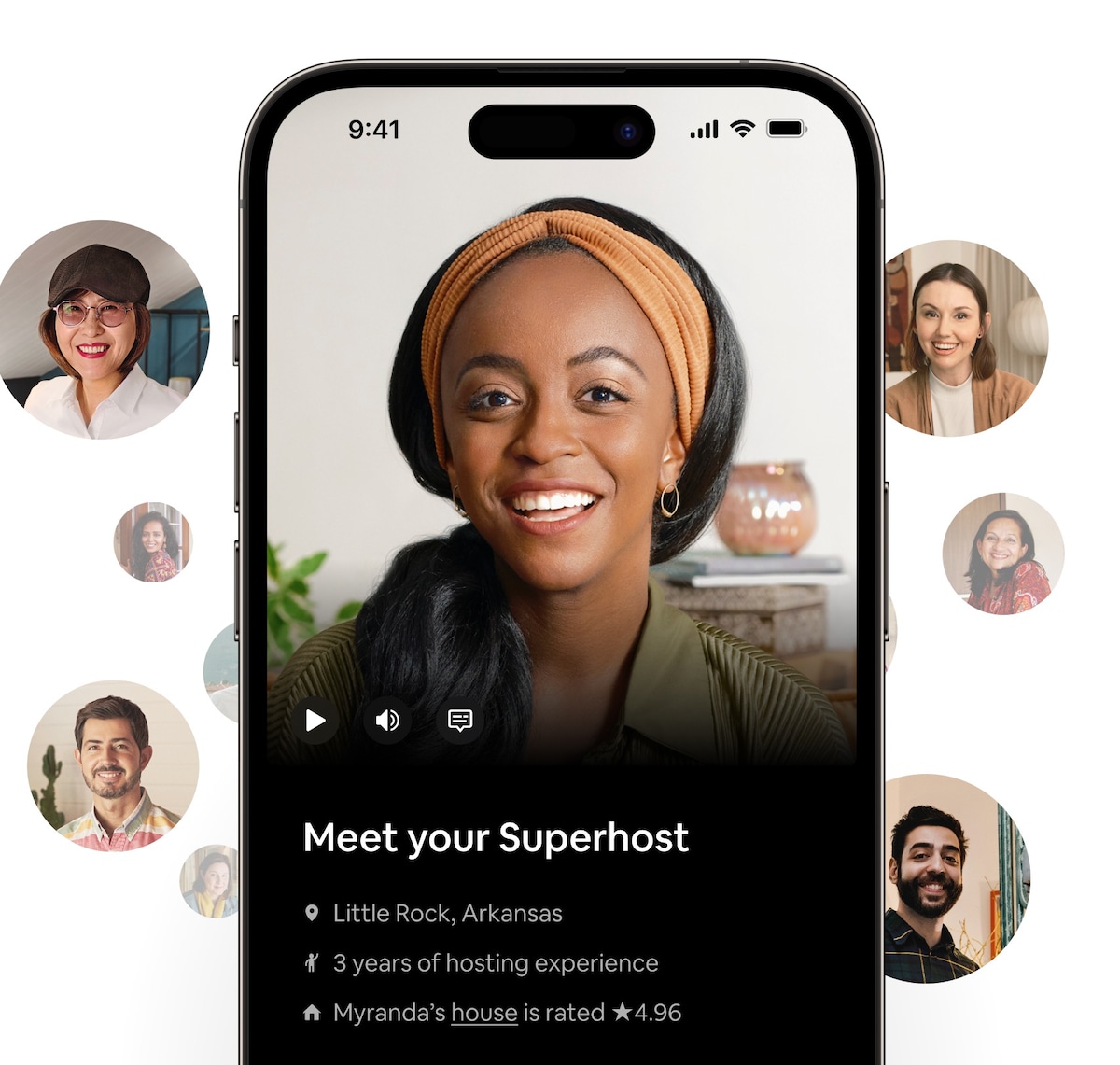
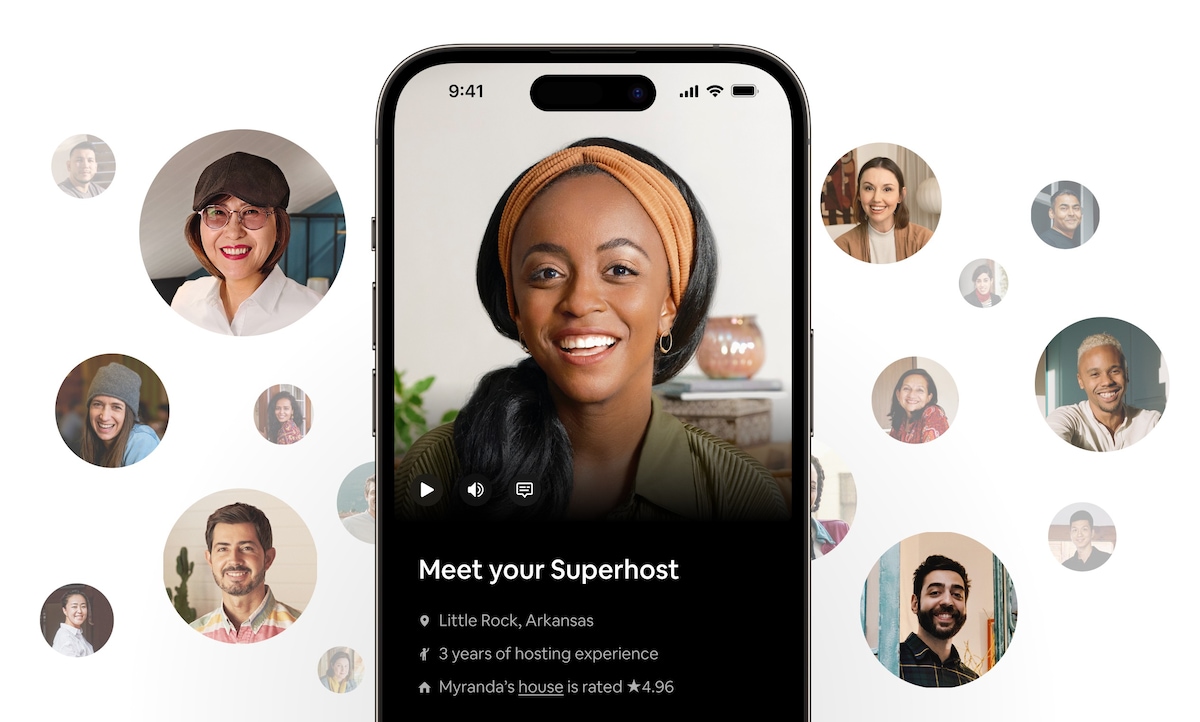
    If a photo says a thousand words, consider Video Profiles something more akin to a short-story. With Video Profiles, hosts can express themselves to the Airbnb community and make a great first introductions. Video Profiles are currently available for hosts only.

    Video profiles webcam
    Telephone

    Voice Connect

    Hosts can now call and screen potential guests directly over the phone using Airbnb Voice Connect. Through Airbnb, hosts will be able to establish an instant connection to a guest over the phone. Numbers will remain private until a reservation is confirmed. Learn more about Voice Connect.

    Require Complete Profiles

    So far, the #1 request on our feature suggestion site is requiring complete profiles from guests. Now, hosts can require that prospective guests must have a complete profile in order to send them messages or booking requests, keeping their inbox free from inquiries that don’t meet their requirements.

    Screenshot of references view
    Screenshot of references view

    It’s OK to Say No

    Hosts have always been able to say no to bookings, although it sometimes affected their placement in search results. You shouldn’t be dinged for doing what’s best for you and your property. It’s your place, after all. So hosts can now decline a reservation without hurting their placement in search results.

    Connect to LinkedIn & Twitter

    Connecting with LinkedIn builds confidence between guests and hosts by establishing a link to your professional life. Validate your Twitter account on Airbnb and add another level of trust to your Airbnb profile. Stay tuned for exciting updates regarding our LinkedIn and Twitter integrations.

    Twitter and Linkedin badges
    Photobooth Interface

    Airbnb Photobooth

    Hosts often ask for more profile photos, we listened. We’ve made it easier than ever to upload a profile photo with the Airbnb Photobooth. The Photobooth will connect directly with your webcam and allow you to snap a photo that will upload directly to your Airbnb profile.

    Verification Dashboards

    Build your reputation and validate your identity in a few easy steps by verifying your phone number and connecting your profile to popular social networks including Facebook and LinkedIn.

    Verification Dashboards
    An informative new profile

    More Informative Profiles

    New profiles chronicle a user's history on Airbnb, giving you more insight than ever before about a potential host or guest. You'll now see if a user has verified their phone number, connected their Facebook account, and whether the majority of their reviews are positive. And as always, you can read their reviews and references.

    Reservation Requirements

    We now give hosts the ability to set custom trust parameters for messages and bookings; members who don't meet a host's requirements can't send them a message or a reservation request. Selections for Reservation Requirements include: verified phone numbers, required profile photos, with more coming soon.

    A look at a few trust settings

    More Trust & Safety Features

    • Safety Suggestion Poll

      Brings your voice & safety needs directly to the product team

    • Guest-to-Host Private Feedback

      Provide candid comments and help Hosts host better

    • International Phone Verifications

      Ensures you have the right number every time

    • Real Names Policy

      Moving towards a community based on real names like Facebook & Google+

    • Click-to-Request International Support

      Request a phone call from our Customer Support team at the click of a button

    • Trust & Safety Center

      Stay up to date on new features and best practices for traveling & hosting on Airbnb

    • Live Chat Support

      Access real-time support at your fingertips

    • Contact the CEO

      Reach out directly to Brian at brian.chesky@airbnb.com

    A look at social connections

    Social Connections

    Social Connections help you find accommodations with mutual friends, people from your alumni network, or hosts your friends recommend. Discover your trusted connections to hosts and guests all over the world. Sign in with Facebook, and discover your common connections within a network of over 60 million people. Learn more about Social Connections

    Supporting You Behind the Scenes

    • Fraud & Safety Systems

      7 new back-end tools to weed out fraud and keep the community safe. We wish we could tell you more, but these are top secret and proprietary

    • 3x Customer Support

      Tripled our Customer Support team over the month of August, and we’re still adding 20+ every other week

    • Content Moderation

      A dedicated team behind our new Community Flagging Tools to investigate listings, messages, profiles, and other user generated content flagged by the community

    • Director of Customer Support

      Hired a 10 year veteran of eBay & PayPal to build out a world class support organization

    • Command Consulting

      Contracted with a world class security consulting firm to help us take safety and security on Airbnb to even greater heights

    • Dedicated Trust & Safety Team

      Created a cross-functional task-force, including a former White House CIO, dedicated to developing new features and services that make the community safer

    Verified Photographs

    Look for the "Verified Photo" watermark on photos of listings, and rest easily knowing what you see is what you'll get. Verified photos mean a professional Airbnb photographer visited the listing, captured and uploaded the photos.

    Verified Photograph Example

    Tried & True Features

    Verified Reviews

    Guests and hosts can only leave reviews after a confirmed reservation through the Airbnb platform. Rest assured that what you're reading is the result of an actual person staying with, or hosting, another member of the Airbnb community. Trusted reviews are the cornerstone of a reputation system that powers our community marketplace.

    Onsite Messaging

    Get to know your potential hosts and guests with onsite messaging. Ask questions, set expectations and get comfortable with each other prior to a reservation. If anything is misrepresented with your booking, let us know right away and our customer support team will reference your communications to help resolve the situation.

    Secure Payments

    When a reservation is accepted the guest is charged immediately, and the host payment is held for 24 hours after their check-in. This gives guests the chance to meet their hosts and spot check their accommodations. If something is wrong or just isn’t up to par, simply contact our support team who are ready to help. As a host, you know you’re going to get what you’re owed, on time, every time.

    Security Deposits

    Hospitality may be your first priority, but accidents do happen. Whether it's wine on the rug or something more serious, having a security deposit is a good way to help protect yourself against any mishaps.

    Security Technology

    We have built complex security algorithms that operate behind the scenes to identify and quarantine suspicious users and behavior before they can ever contact you.

    Community Flagging

    We give every member of the community the tools to help us police our marketplace. It is all of our responsibility to ensure that Airbnb remains a safe and trusted marketplace. Flag suspicious messages, users or listings to alert our team to step in and take action.

    • Safety Tips for Guests

      We want you to feel at home wherever you are. Here are a few tips to get your journey started off on the right foot.

      Do Your Homework

      There are many ways to learn about potential hosts and listings. Use all of the tools at your disposal to gather information so you can find what's right for you.

      Host Profiling
      • Look for a host that includes a real name, clear photograph and complete description.
      • Is something missing? Ask hosts to complete their profiles and connect with Facebook if they haven't done so already.
      • Look for grammar and tone that reflect the precision and authenticity you would expect in a host. But you should take into account that English may not be their first language.
      Digging into Listings
      • Keep an eye out for listings with detailed descriptions of the property and surrounding area. A thoughtful and detailed description is one sign of a good host.
      • Look for photos that bear an "Airbnb.com Verified" watermark. These properties have been visited and photographed by a professional Airbnb photographer. You can feel confident that what you see is what you'll get.
      The Power of Reviews
      • Guests and hosts can only leave reviews after a confirmed reservation through the Airbnb platform. Rest assured that what you're reading is the result of an actual person staying with, or hosting, another member of the Airbnb community.
      • Key information to consider: Have other guests met the host in person? Do they report positive experiences interacting with the hosts? Was there anything wrong with their stay? If so, was it easily fixable and has the host fixed it? Would they stay there again?
      Stay in your Network

      Social Connections help you find accommodations with mutual friends, people from your alumni network, or hosts your friends recommend. Discover your trusted connections to hosts and guests all over the world. Sign in with Facebook, and discover your common connections within a network of over 60 million people.

      Screen with a Purpose

      Asking good questions and setting expectations is essential to an effective screening process. Get to know your potential hosts and make sure you are both comfortable. Too much communication is never a bad thing.

      What to ask - Here are some example questions to get you started, but are by no means exhaustive.

      • Will other people be staying there at the same time? Will they have access to my space?
      • How will I get the key? Who else has a copy of the key?
      • Is there a secure space to store my belongings?
      • Will I have a private or shared bathroom?
      • Are their lots of stairs or is there an elevator?
      Cast A Wide Net

      Hosts sometimes get busy with their 9-to-5 and forget to update their calender or, in some instances, forget to turn their listing off while they're out of town. In your search, look for several properties that fit the bill and send a detailed message to each of them.

      Take Your Time

      Chemistry and trust are a big part of the relationship with your host. Whether booking a shared living space or an entire home, take your time and get to know the host. Be clear with your expectations and booking details so they have time to ask questions too.

      Keep it on Airbnb

      Every now and then you will run into a host who ask you book outside of the Airbnb marketplace. Three of the most common scams in the vacation rental industry are "take the money and run", the "bait & switch" and "price jacking". Keeping your communications and transactions inside of Airbnb can protect you from each of these, and provide you with a path for recourse should something go wrong.

      Communicate With a Paper Trail

      Messaging within our system provides a paper trail that our customer support team can reference in case your accommodation or reservation was misrepresented. For that reason, we only exchange host and guest contact info after a reservation is accepted.

      Help Us Help You

      If you feel something is fishy in your communication with a host, you can flag the message thread to alert the Airbnb team.

      Secure Payments

      We hold your money until 24 hours after your check-in date, this gives you time to meet your host and check out your accommodations. If they try to switch properties, jack up the price, or if something just isn't on par, simply contact our support team who will jump into action to resolve the situation and ensure you go to sleep happy.

      Be Prepared
      Set Yourself Up for Success

      Most issues come from lack of attention to details, miscommunication and differences in expectations. Be sure to thoroughly read the reviews, descriptions, amenities and house rules. Whatever your living preferences may be, define them for yourself and then choose the best match.

      Do A Spot Check

      Although payment has been collected, your host will not receive the funds until 24 hours after you check-in. Upon arrival, take a quick look around the property. If something is awry or just not up to par, immediately document it with photos, notify your host and contact the Airbnb support team at urgent@airbnb.com or call 1-855-4-AIRBNB.

      The Buddy System

      Traveling somewhere new can be overwhelming, so consider traveling with a friend. Beyond being a partner in adventure, having a photographer and map-holder can make your experience more fun and ensures someone has your back. Before departing for your trip it is always a good idea to share your itinerary with trusted friends or family and set dates and times to check in.

      Pack Smartly

      Be judicious about taking valuable items or sensitive documents with you. If you do take such items with you, ensure you have a safe place to store them.

      Travel Insurance

      With travel comes the unexpected. If you are worried about trip interruption, theft of your belongings or any other travel emergency, buying travel insurance is a good way to reduce risk. Every policy is different and provides different types of protection. To understand your coverage options, you should check with a travel insurance provider.

      We Are Here For You

      Let's face it, sometimes things don't go exactly as planned. That's why we have operators and customer support staff standing by to provide phone and email support for anything big or small. Need help? For urgent matters call us at 1-855-4-AIRBNB around the clock. For all other inquiries please contact us.

    • Safety Tips for Hosts

      People host on Airbnb for a variety of reasons. Regardless of yours, we've built tools that can help you host in a safe and secure manner. The following best practices outline how to best take advantage of all that Airbnb has to offer.

      The Perfect Listing

      Before getting your first inquiry, set yourself up for safe and successful hosting by baking security into your listing.

      Complete the Picture

      Use the description and House Rules section of your listing to establish some ground rules and set expectations.

      • Description - Start setting expectations by having a detailed description fully portraying your offering, and letting people know how you operate. Be candid and accurate about what you and your space have to offer.
      • House Rules - Utilize House Rules to specify your expectations for age, occupancy restrictions, expected behavior, or any other rules you have. You can also specify in House Rules conditions for check-in, such as, IDs, rental agreements, and key exchanges.
      Security Deposits

      Hospitality may be your first priority, but accidents do happen. Whether it's wine on the rug or something more serious, having a security deposit is a good way to help protect yourself against any mishaps.

      Reservation Requirements

      You can set custom trust parameters for messages and reservation requests; guests who don't meet your specified requirements can't send you a message or attempt a reservation request until they fulfill your requirements. Selections for Reservation Requirements include: verified phone numbers, profile photos & descriptions, location information, and trip context.

      Cleaning Fees

      Cleaning fees can be automatically collected each time you accept a reservation. Collecting a cleaning fee helps lessen the financial burden of keeping your place clean and tidy after each guest.

      Insurance

      Even if you're not renting your place out, having insurance is a simple, affordable way to protect against the unexpected. Adding the extra layer of security with vacation renters or homeowners insurance is a good way to reduce risk and make sure your home is protected if anything should happen. Every policy is different, and not every policy provides this protection. To understand your coverage options, you should check with your insurance provider or providers in your area.

      Choosing Your Guest

      Airbnb offers many different ways to learn about your potential guests. Use all of the tools at your disposal before accepting a reservation to gain as much information as possible about inquiring guests. You are always in complete control of who stays at your place by accepting reservations only when you feel comfortable, and declining when you don't.

      The Power of Reviews

      Guests and hosts can only leave reviews after a confirmed reservation through the Airbnb platform. Rest assured that what you're reading is the result of an actual person staying with, or hosting, another member of the Airbnb community.

      Key information to consider: Have other hosts met the guest in person? Do they report positive experiences? Were they respectful of their space and belongings? Would they host him/her again?

      Screening with Purpose

      Asking good questions and setting expectations is essential to an effective screening process. Get to know your potential guests and make sure you are both comfortable. Too much communication is never a bad thing.

      What to look for
      • Check potential guest profiles for verified phone numbers, connected social networks, references, and positive reviews. Is something missing? Ask inquiring guests to complete their profile verifications if they haven't done so already.
      • Look for grammar and tone that reflect the precision and authenticity you would expect in a guest. But you should take into account that English may not be their first language.
      What to ask

      Here are some example questions to get you started, but they are by no means exhaustive.

      • What is the purpose of your trip?
      • How many people are in your party?
      • What are their ages?
      • Where are you traveling from?
      Take Your Time

      Chemistry and trust are a big part of the relationship with your guest. Whether booking out a shared living space or your second home, take your time and get to know the person. Be clear with your rules, expectations and booking details.

      Trust Your Gut

      If a reservation request or conversation feels rushed or just doesn't feel right, it's important to trust to your instincts. You are never under any obligation to accept a reservation; it's your space, after all.

      Being Prepared
      Put it in Writing

      Most issues arise from a lack of clear communication and expectations. Lower your risk by leaving clear instructions for your guests on how you expect them to behave in your home. For instance, perhaps shoes should only be worn outside, or maybe you don't want your guest to have parties. In addition, we recommend that hosts have an agreement with the guest that includes an express obligation to pay you for damages or losses for any property caused by the guest.1

      Prepare Your Space

      Walk though your space and remove any valuable or irreplaceable items, along with sensitive documents. If you can't remove these items, then create a lockable, secure space that is inaccessible to guests, but remember that truly irreplaceable items should always be removed.

      Find a Helping Hand

      If you have a good relationship with your neighbors, inform them that you have guests. Let your guests know that your neighbors are up to date on the situation and are available in case of an emergency. This way, your neighbors don't get worried when they see new faces in your place and guests are aware that someone may be monitoring for suspicious behavior.

      Meet and Greet

      It's wise to meet your guests in person to exchange keys. Let them know this is your home and encourage them to treat it like their own. If you can't meet in person, you should try and have a trusted neighbor or friend meet your guest.

      We Are Here For You

      Let's face it, sometimes things don't go exactly as planned. That's why we have operators and customer support staff standing by to provide phone and email support for anything big or small. Need help? For urgent matters call us at 1-855-4-AIRBNB around the clock. For all other inquiries please contact us.

      1 Airbnb Host Guarantee contingent on agreement and subject to terms and conditions.

    • General Questions

      • Is Airbnb safe? What’s keeping people from abusing the service?
        • In 190 countries worldwide, users have booked over 2 million nights. Incidents, while a possibility, are a rarity on Airbnb because - at its core - our users believe that people are fundamentally good. So much so that starting August 15th, when hosts book reservations through Airbnb their personal property will be covered for loss or damage due to vandalism or theft caused by an Airbnb guest up to $50,000 with our Airbnb Guarantee. Terms will apply to the program and may vary (e.g. by country). This program will also apply retroactively to any hosts who may have reported such property damage prior to August 1, 2011.
        • For those that need reassurance, Airbnb also facilitates protected interactions, rich user profiles, a secure payment system, Social Connections, security deposits, user reviews and recommendations and myriad other features to facilitate trust and reinforce security in the marketplace.
      • What is Airbnb’s commitment to me as a host?
        • Our Terms of Use state that, “Our site is a venue for users to learn about one another and, if they wish, arrange stays with one another. We are not involved in the actual face-to-face contact between users. As a result, we have no control over the conduct of our users or the truth or accuracy of the information that users post on the Site.”
        • That being said, our highest priority is the safety and security of our community and we will do anything we can to protect our users from negative experiences, including theft and vandalism.
        • We give you the tools you need to flag users, message threads and listings to alert the security team if something feels unsafe or uncomfortable.
        • Starting August 15th, when hosts book reservations through Airbnb their personal property will be covered for loss or damage due to vandalism or theft caused by an Airbnb guest up to $50,000 with our Airbnb Guarantee. Terms will apply to the program and may vary (e.g. by country). This program will also apply retroactively to any hosts who may have reported such property damage prior to August 1, 2011.
        • Need help? For urgent matters you can reach us at +1-415-513-0434.
      • What is the Airbnb Guarantee?
        • Starting August 15th, when hosts book reservations through Airbnb their personal property will be covered for loss or damage due to vandalism or theft caused by an Airbnb guest up to $50,000 with our Airbnb Guarantee. Terms will apply to the program and may vary (e.g. by country). This program will also apply retroactively to any hosts who may have reported such property damage prior to August 1, 2011.
      • What happens if I have an emergency?
        • If you have an emergency, you can reach us at +1-415-513-0434.
        • You can also reach us by email at urgent@airbnb.com and we’ll get back to you as soon as possible.
      • What constitutes an Airbnb emergency situation?
        • While every situation is important to us, we ask that you consider the magnitude of your problem prior to calling the emergency hot-line so we can provide emergency service to serious cases.
        • We define emergencies as the following:
          • Being unable to reach a host at check-in
          • Safety concerns
          • Discovering suspicious or illegal activity
          • Inappropriate guest/host behavior
          • Double bookings
          • Guest-host disputes
          • Security deposit claims (w/in 48 hours of checkout)
          • Misrepresented properties
      • What happens if I have an important problem that is not an emergency?
        • In instances such as these please contact Airbnb Support and a representative will respond to your inquiry promptly.
        • Some examples of non-emergency customer service requests could be:
          • Technical profile questions
          • Changing dates of a reservation
          • You need assistance renting out a place
        • Please respect that calling the emergency hotline in a non-emergency situation detracts from our ability to provide emergency services to others. We will honor our phone systems and keeping you safe and appreciate your cooperation with our efforts.
    • Contacting Other Airbnb Members

      • Why can’t I call or email a guest before booking?
        • To mitigate fraud and the threat of scams, we only share guest contact info (phone number, email address, and last name) after a reservation is accepted and authorized payment is received.
        • Reply to messages by opening the conversation thread and clicking the green “Send Message” button.
        • Even after the reservation is finalized, we strongly encourage you to continue messaging on Airbnb to iron out the details. Messaging within our system provides a paper trail that our customer support team can reference in case your reservation was misrepresented.
      • Why can’t I call or email a host before booking?
        • To mitigate fraud and the threat of scams, we only share host contact info (phone number, email address, street address, and last name) after a a reservation is accepted and authorized payment is received.
        • Clicking the blue "Contact Me" button on the listing page lets you ask specific questions regarding a listing or reservation. When the host responds to your message, you'll receive an e-mail alert from Airbnb with a link to the host's response.
        • Even after the reservation is finalized, we strongly encourage you to continue messaging on Airbnb to iron out the details. Messaging within our system provides a paper trail that our customer support team can reference in case your reservation was misrepresented.
      • How do I get in touch with my guest after booking?
        • Once a booking is complete and payment is processed, you’ll receive an email itinerary and a message through Airbnb with your guest’s email address and telephone number.
        • You are free to connect with your guest directly through these outlets, though we strongly encourage you to continue messaging on Airbnb to iron out the details. Messaging within our system provides a paper trail that our customer support team can reference in case your reservation was misrepresented.
      • How do I get in touch with my host after booking?
        • Once a booking is complete and payment is processed, you’ll receive an email and a message through Airbnb with your host’s email address, telephone number and street address.
        • You are free to connect with your host directly, thought we strongly encourage you to continue messaging on Airbnb to iron out the details. Messaging within our system provides a paper trail that our customer support team can reference in case your reservation was misrepresented.
      • What questions should I ask to screen my guest effectively?
        • Asking questions is a great way to build rapport, learn about your guest’s living preferences and expectations - and make sure your house rules will be followed. Consider what matters most to you and focus on that line of questioning. Some examples could be, but are not limited to:
          • What is the reason for your trip?
          • What are you looking to do while you’re in town?
          • How many members in your party? What are their ages and occupations?
          • Where are you coming from and how long do you plan to stay?
          • What time will you arrive and depart?
          • Have you used Airbnb before?
          • Are you traveling alone or with others? How many will be traveling with you?
          • How much of your trip will be spent in the property?
          • What kind of expectations do you have for your stay?
      • What questions should I ask to screen my host effectively?
        • Asking questions is a great way to build rapport, learn about your host’s living preferences and set your expectations. You should also ask to clarify any house rules and any questions you may have. Some examples could be:
          • Why do you host on Airbnb?
          • How long have you hosted on Airbnb?
          • How long have you lived in this property?
          • Is this your primary residence?
          • Who will be at the residence? Will they have access to my space?
          • Will you or someone else be available in case of an emergency?
          • Is there a secure place where I can lock my belongings?
          • Do you have pets?
          • What are your expectations of guests that stay with you?
    • Payment

      • Why should I use your payment system?
        • Our payment system protects both parties from fraud and illicit behaviors. When a host accepts your reservation request you will be charged upfront in full. (You will not be charged if the reservation request expires or is denied). Airbnb holds your payment until 24 hours after check-in, at which point we transfer it to the host. This gives you time to arrive, check-in, and confirm that everything is as expected.
        • Should you cancel your reservation, you will be refunded in accordance with your host's cancellation policy (as seen on the listing page and in your itinerary). Sending payment to the host outside of the site prevents us from being able to protect your payment. Our payment system is specifically set up so that your money is safe until you have successfully checked in.
      • What happens if I go around the Airbnb payment system?
        • We will not be able to protect your payment. Should you need to cancel your reservation or if something doesn't go as expected, we will not be able to assist you as the reservation and payment are not recorded in our system.
        • Following a stay through Airbnb, guests and hosts are prompted to leave feedback for each other. If you go around the Airbnb payment system you will not be allowed to post or earn reviews.
        • Guests: We will not be able to hold your payment until 24 hours after check-in.
        • Hosts: We will not be able to enforce your cancellation policy should the guest cancel. You will forego earning points, which would raise your listing's placement in search results.
      • Does my host have a deposit and how much is it?
        • Some of our hosts do require security deposits and use Airbnb to facilitate them for reservations. The amount of the deposit is in the details section of the listing page.
        • When a security deposit is set up for your reservation, your credit card is authorized 24 hours prior to check-in and voided 48 hours after check-out unless the host contacts customer support.
        • Under no circumstance should you send a security deposit prior to arrival. It is left to your discretion to decide if you are comfortable with the deposit amount. You can look at previous reviews of the listing to help make your decision. In the event that there is a dispute over a host holding the deposit, we will ask the host to provide pictures/a receipt to substantiate holding the deposit. Ultimately, the host has the final say over the deposit but we do monitor our hosts to make sure there is not an underlying pattern of withholding the security deposit.
      • What is the value of including a safety deposit?
        • Hospitality may be your first priority, but accidents do happen. Whether it's wine on the rug or something more serious, having a security deposit is a good way to protect yourself against any mishaps.
      • When is money exchanged?
        • Guests: you are charged in full at the time of booking.
        • Hosts: you will receive payment 24 hours after the guest checks in.
        • Security deposits are authorized 24 hours prior to check-in and voided 48 hours after check-out.
    • Research

      • What information do you need to create a profile?
        • All users are encouraged to create a profile with a full name, email address, and personal bio.
        • In addition, you can verify your phone number, connect your Facebook account, and get your friends to provide references for you - so even new users can build credibility.
      • How does Airbnb verify user information?
        • While we provide profile tools for you to make a decision that fits your comfort level, we do not formally screen or verify users.
        • Start by signing in through Facebook Connect to access Airbnb Social Connections and discover over 60 million users who are mutual friends, people from your alumni network, or hosts your friends recommend.
        • If a user is missing information, you can request that they complete their profile with a picture, ask for more bio information, connect their Facebook accounts, or add a verified phone number.
        • Following a stay through Airbnb, guests and hosts are prompted to leave feedback for each other. These reviews are transaction-based and can only be earned through the Airbnb payment system.
        • If you have an experience that doesn’t feel quite right, you can flag users, message threads. and listings to alert the security team so they can have a look. Flagging is not revealed to the opposite party.
      • What should I look for to make sure I can trust a guest?
        • Look for a profile with a full name, a descriptive personal bio, and a profile picture of their likeness.
        • In addition, guests can verify their phone number, connect their Facebook account, and get friends to vouch for them through recommendations.
        • Guests and hosts can only leave reviews after a confirmed reservation through the Airbnb payment system.
        • Look for information and ask questions until you feel comfortable. Remember, you have control of who stays in your space.
      • What should I look for to make sure I can trust a host?
        • Look for a profile with a full name, a descriptive personal bio, and a profile picture of their likeness.
        • In addition, hosts can verify their phone number, connect their Facebook account, and get friends to vouch for them through recommendations.
        • Guests and hosts can only leave reviews after a confirmed reservation through the Airbnb payment system.
        • Look for information and ask questions until you feel comfortable. Remember, you have control of who stays in your space.
        • Look for the “Verified Photo” watermark on photos, and rest easily knowing what you see is what you’ll get. Verified photos mean a professional Airbnb photographer visited the listing, captured and uploaded the photos.
        • Be aware and be smart, you are your own best tool for judgment. Look for information and ask questions until you feel comfortable with the booking - remember, you don’t have to book if you aren’t comfortable for any reason.
      • Am I allowed to decline reservation requests?
        • Yes, you are allowed to decline reservation requests. As a host, you have control over your listing.
      • How can I be sure that a guest is who they say they are?
        • Start by signing in through Facebook Connect to access Airbnb Social Connections and discover over 60 million users who are mutual friends, people from your alumni network, or hosts your friends recommend.
        • Airbnb releases the full names of guests to the host after a booking request is sent. Hosts do their due diligence by looking up potential guests on the Internet (Google search) and messaging mutual friends to get a sense for who they are.
        • Ask questions and engage with the guest to understand the purpose of their visit and a bit of their background.
      • What tools are on the site to verify properties?
        • Before booking, look for the “Verified Photo” watermark on photos. Verified photos mean a professional Airbnb photographer visited the listing and captured and uploaded the photos.
        • Please note “Airbnb.com” is placed at the upper right hand corner of each photo uploaded on our site, possessing this flag does NOT designate a “Verified Photo.” Verified photos are those with a check mark and “Verified” text in the watermark.
        • Verified photo:
        • Airbnb watermarked photo:
        • Reviews from previous guests serve as a good guide to expectations and previous experiences with a host.
      • What if I arrive and the property is unsatisfactory or misrepresented?
        • We hold 100% of the transaction fee until 24 hours after you check-in. This allows you time to meet your host and check out your accommodations. If you feel that the property was misrepresented, contact Airbnb Support with a detailed description and a few photos to help support your claim.
        • If you need immediate assistance please call +1-415-513-0434 and we will work to resolve issues with the host or find you suitable accommodations.
      • How does Airbnb protect my property from theft or vandalism?
        • If you’re concerned about incidental damage to your property, we facilitate security deposits to protect from any potential mishaps. These funds are held for 48 hours after the guest checks out, so you have time to inspect your place for any losses or damages.
        • Protect yourself by staying using the Airbnb payment system. If you move the transaction off-line we will not be able to hold a security deposit, and we won't have a record of your transaction.
        • Starting August 15th, 2011, when hosts book reservations through Airbnb their personal property will be covered for loss or damage due to vandalism or theft caused by an Airbnb guest up to $50,000 with our Airbnb Guarantee. Terms will apply to the program and may vary (e.g. by country). This program will also apply retroactively to any hosts who may have reported such property damage prior to August 1, 2011.
        • We have built complex security algorithms that operate behind the scenes to identify and quarantine suspicious users and behavior before they can ever contact you.
      • How does Airbnb protect me from getting scammed?
        • We have built complex security algorithms that operate behind the scenes to identify and quarantine suspicious users and behavior before they can ever contact you.
        • We hold your payment until 24 hours after you check in. This allows you time to meet your host and check out your accommodations. If you check in and you feel that the property was misrepresented, contact Airbnb Support with a few photos to help support your claim.
        • If you need immediate assistance, you can reach us at +1-415-513-0434.
        • Protect yourself by staying using the Airbnb payment system. If you move the transaction off-line there is no guarantee you will be housed and Airbnb won’t be able to help you get your money back.
      • What should I watch for regarding scams?
        • The best way to protect yourself is by asking questions and learning as much as possible about the host through reviews and recommendations. Hosts with incomplete information, missing profile photos or typos in their bio could indicate that they were rushing to create a profile.
        • If a host requests money prior to booking or arrival, attempts to make you pay off-site, or if they try to bait and switch the price in messaging, flag the message thread and alert the Airbnb team who can step into help.
        • If you complete a booking and your host tries to switch properties upon arrival, you can reach us at +1-415-513-0434. We’re here to assist you.
        • If you issue payment outside of Airbnb and you feel as if you’ve been scammed, you are no longer protected under our Terms of Use. In this case, contact the FTC at 877-FTC-HELP (877-382-4357) or file a complaint form online if you are in the United States.
      • Does Airbnb do background checks on users?
        • As a community marketplace built on trust, transparency and authenticity, we respect user privacy and do not do formal background checks on Airbnb guests and hosts.
        • All users are required to create a profile with a full name, email address and personal bio.
        • Beyond the basics, guests can verify their phone number, connect their Facebook account, and get friends to vouch for them through recommendations - so even new users can build credibility.
        • Guests and hosts can only leave reviews after a confirmed reservation through the Airbnb platform. Rest assured that what you’re reading is the result of an actual person staying with, or hosting, another member of the Airbnb community.
        • Look for information and ask questions until you feel comfortable with the booking - remember, you’re in control of your booking.
    • Handling Disputes or Problems

      • What is the fastest way to get in touch with someone in an emergency?
        • In an emergency situation please call 911 - before calling Airbnb support.
        • You can reach us at +1-415-513-0434 if you need immediate assistance.
        • For all other inquires please contact Airbnb Support and a representative will respond to your inquiry as soon as possible.
      • What happens if I feel unsafe once my guest arrives?
        • As a host, you are always in complete control of who stays at your place. If you have accepted a reservation and you feel uncomfortable with your guest, contact customer service at +1-415-513-0434 so they can assist you in canceling the reservation and finding the guest alternative accommodations.
      • What happens if I feel unsafe once I’ve checked in?
        • We hold your money until 24 hours after your check-in date, giving you time to meet your host and check out your accommodations. If you feel uncomfortable or unsafe once you check in, contact customer service at +1-415-513-0434 so they can help resolve the situation and ensure you go to sleep happy.
        • If you need to cancel the reservation, make sure you document the specifics so our customer service team can help cancel the reservation.
        • As a host, you are always in complete control of who stays at your place by accepting reservations only when you feel comfortable, and declining when you don’t.
      • What happens if someone steals my belongings or trashes my place?
        • First and foremost, call the police and get them involved from the get go.
        • Next, contact Airbnb customer service at +1-415-513-0434and alert us to the situation. We will begin the process of helping you document and get through the situation, as well as provide the authorities with any information that will help them catch the criminals.
        • Starting August 15th, when hosts book reservations through Airbnb their personal property will be covered for loss or damage due to vandalism or theft caused by an Airbnb guest up to $50,000 with our Airbnb Guarantee. Terms will apply to the program and may vary (e.g. by country). This program will also apply retroactively to any hosts who may have reported such property damage prior to August 1, 2011.
      • Does Airbnb provide insurance?
        • Currently Airbnb does not offer insurance though we provide all hosts the Airbnb Guarantee.
        • Starting August 15th, when hosts book reservations through Airbnb their personal property will be covered for loss or damage due to vandalism or theft caused by an Airbnb guest up to $50,000 with our Airbnb Guarantee. Terms will apply to the program and may vary (e.g. by country). This program will also apply retroactively to any hosts who may have reported such property damage prior to August 1, 2011.
        • Purchasing your own renters or homeowners insurance is possible in most cases, just not through the Airbnb platform at this time. Every policy and provider is different though, to understand your coverage options you should check with your insurance provider, or other providers in your area.
      • How do I report damage and get my security deposit back?
        • Please take photos and write a detailed account of the damage within 48 hours after the guest(s) has checked out. Then email urgent@airbnb.com with a description of the damage and the images. Our support team will mediate between you and the guest to determine the best course of action.
    • Airbnb Host Guarantee

      • Why is Airbnb doing this?
        • Because we believe it’s the right thing to do and want to protect our community members. Malicious damage is a rare but terrible event. If unfortunate things happen, we want to provide our hosts with protection they deserve.
      • What is covered under the Airbnb Host Guarantee?
        • The Airbnb Host Guarantee will provide protection up to $50,000 to a host for damages to covered property in the rare event of theft or vandalism by a guest. Hosts in the United States, Canada, Australia, United Kingdom, Germany, France, Italy, Spain, Portugal, Greece, Netherlands, Denmark, Sweden, Norway, Iceland and Finland are currently eligible, but we’re planning to expand the Airbnb Host Guarantee to more countries soon.

          Payment requests are subject to certain conditions, limitations and exclusions in the Host Guarantee Terms and Conditions, which can be found here: http://www.airbnb.com/terms.
      • What is not covered under the Airbnb Host Guarantee?
        • Because the Host Guarantee Program does not apply to certain types of property such as cash, jewelry or collectables, we recommend that hosts secure or remove such valuables when renting their place.

          The Host Guarantee Program also does not cover loss or damage to property due to accidents, simple negligence, or wear and tear. For these types of incidents, hosts can require a security deposit from their guest.

          The Host Guarantee Program is not insurance and does not replace your homeowners or renters insurance. Make sure you review and understand the terms of your insurance policy and what it covers and does not cover. Not all insurance will cover damage or loss to property caused by a guest renting your space.

          To learn more specifics about what is not covered you can read the terms and conditions of the Airbnb Host Guarantee Program by visiting: http://www.airbnb.com/terms
      • What can I do if I had an incident prior to August 15th?
        • If you’re a host in an eligible country, we’ve got you covered - even if the event happened prior to the date we launched the Airbnb Host Guarantee. Submit your claim by September 15, 2011, and we’ll process your request.
      • What about countries that aren’t covered?
        • We’re working to provide the Guarantee in every country where our hosts list their properties.
      • How does the Airbnb Host Guarantee Process Work?
          1. In an emergency situation, the host should always contact the police, emergency personnel or the proper authorities first. Then contact Customer Service to report the incident by calling +1-855-424-7262.
          2. We find that hosts and guests can often resolve their own issues, so it’s best to start with the source. If a host believes a guest has caused property damage or loss, they should contact the guest to notify them of the complaint.
          3. If a resolution cannot be made, the host should carefully review the Airbnb Host Guarantee Terms and Conditions and determine if they are eligible before submitting a request to Airbnb.
          4. Hosts need to submit their request the earlier of 14 days from the guest’s check out or before the next guest checks in.
          5. For Payment Requests submitted on time, we’ll send a confirmation email and follow up emails to discuss next steps, such as further documentation from the host or the guest, within 24 hours.
          6. Once we have received sufficient information from both the host and the guest, we’ll review all documentation, evaluate the payment request, and upon completion of our review contact the host with a decision.
          7. The length of the process will vary depending on the severity of the case, the quality of documentation, and the cooperation of the host and guest, but we hope to resolve most cases within a week of when they are submitted.
      • What should I do before submitting a payment request?
          • Contact your guest to notify them of your complaint. It is often the case that hosts and guests can resolve issues on their own.
          • If you are not able to come to a decision with your guest we recommend you file a police report. A police report is encouraged in all cases and required if your payment request is above $300.
          • Gather as much documentation as possible to submit with your form, including photos, receipts, police report, and any other documentation that proves ownership, damage, and estimates fair market value.
          • If you don’t think your incident will be covered under the Airbnb Host Guarantee or if you have any further questions you can contact Airbnb Support .
      • How do I submit a Airbnb Host Guarantee payment request?
        • Once you are logged in, the Airbnb Host Guarantee Payment Request Form can be quickly and easily submitted online. Payment requests are subject to the terms of the Host Guarantee, so we urge to you read through the terms and conditions prior to submitting a claim.

          For additional information about the Airbnb Host Guarantee you can visit the Airbnb Host Guarantee FAQ and the Guarantee Terms Page
      • What information will I need to provide to have a valid request?
        • Here are some examples of information and documentation that would help us process your Payment Request:
          • Photos, so we can see what damage was done to your property
          • If you believe you have suffered damage or loss above $300, you’ll need a police report filed so we know that you have alerted the authorities of the incident
          • Receipts or alternate accurate evidence of the fair market value or repair cost, or for covered artwork evidence of the original purchase price of the piece(s).
          • Any other documentation that you think will help us review your incident
      • Should I have a security deposit?
        • Yes, we still highly recommend having a security deposit. The Airbnb Host Guarantee is in place to protect you against theft and vandalism and is subject to limitations, but accidents do happen. Whether it's wine on the rug or something more serious, having a security deposit is a good way to help protect yourself against any mishaps.
      • How do I add a security deposit requirement to my property?
        • Adding a security deposit to your listing is easy. You can change your security deposit settings in the Pricing and Terms section under Edit Listing for each of your properties. The quickest way to get there is through the Hosting Tab.
      • Should I have any homeowners or renters insurance?
        • The Host Guarantee Program is not insurance and does not replace your homeowners or renters insurance. Make sure you review and understand the terms of your insurance policy and what it covers and does not cover. Not all insurance will cover damage or loss to property caused by a guest renting your space.
      • How long will it take for my payment request to be processed?
        • The length of the process will vary depending on the severity of the case, the quality of documentation, and the cooperation of the host and guest, but we hope to resolve most cases within a week of when they are submitted.
  • Suggestions about Safety & Trust

    We're always working to make Airbnb a safer and more trustworthy experience. After 8,041 votes and more than 400 great ideas, we've heard you loud and clear and implemented a full suite of features. See how we can help you have a wonderful experience.

    Voting now closed. Thanks for participating!